 Pennyworth
Firmglass
The bots are working. This is the window.
Firmglass is the screen my own firm runs on. What the fleet finished overnight, where every close actually stands, and the short list of things that genuinely need you — one pane, every morning. You stop guessing what happened while you slept.
Real timeline, our first buyer: paid at 7:26 PM, running that same evening.
01 · The night shift
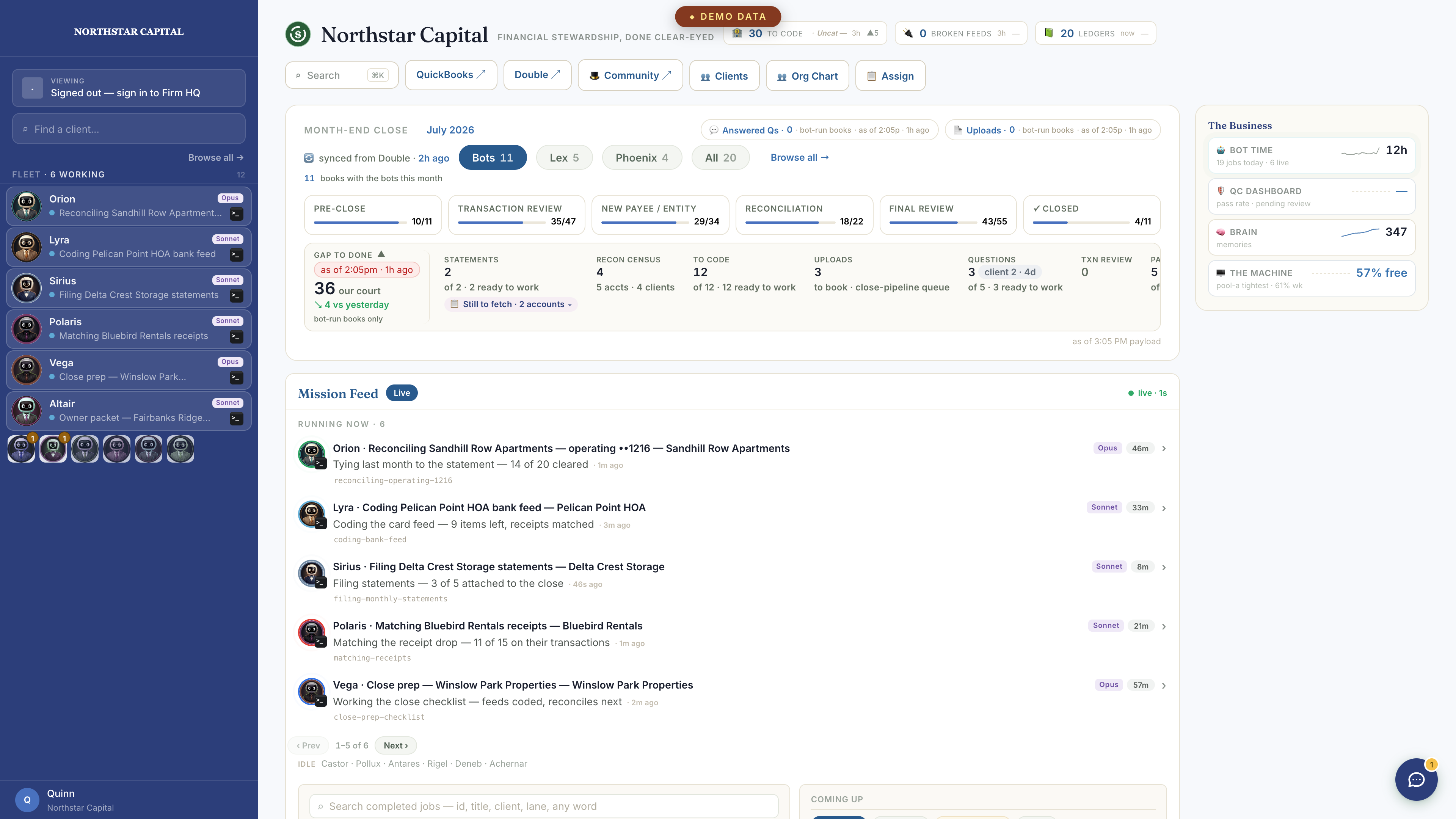
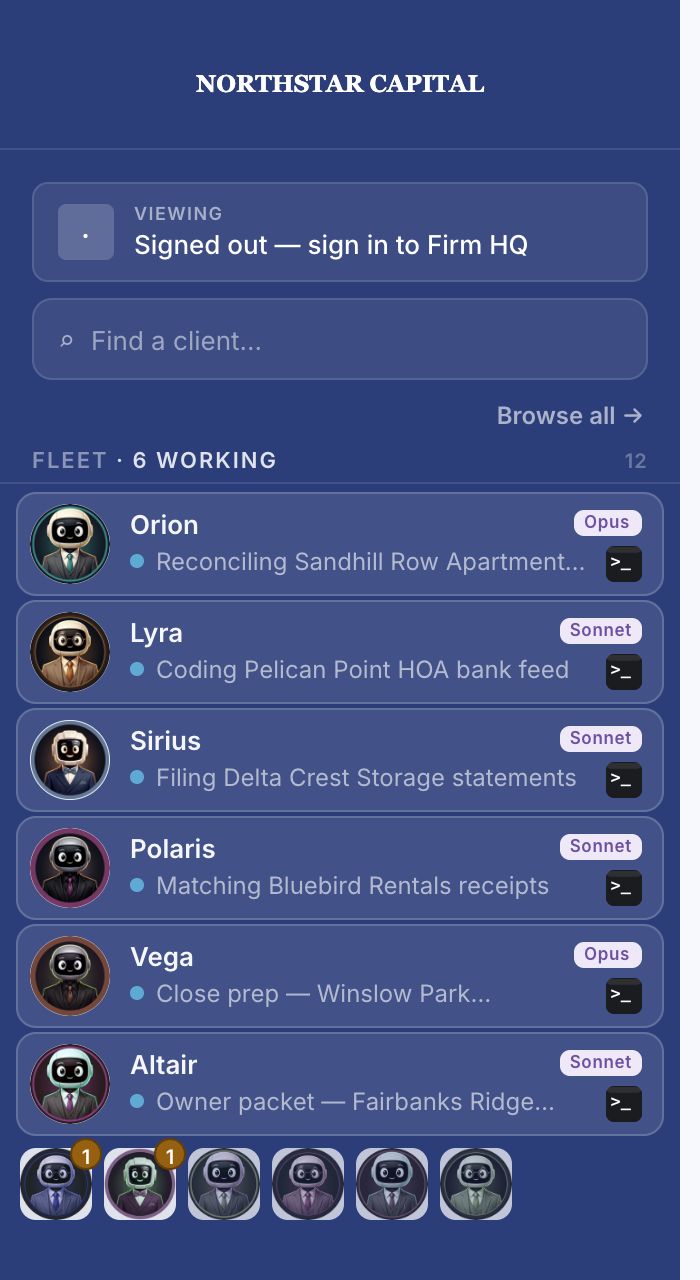
Who's working, right now.
The sidebar mid-shift — your exec seats, your bot bookkeepers, and the shop — each with a live pulse and a queue badge. Demo instance, staged firm (“Northstar Capital”), staged names.
02 · The close
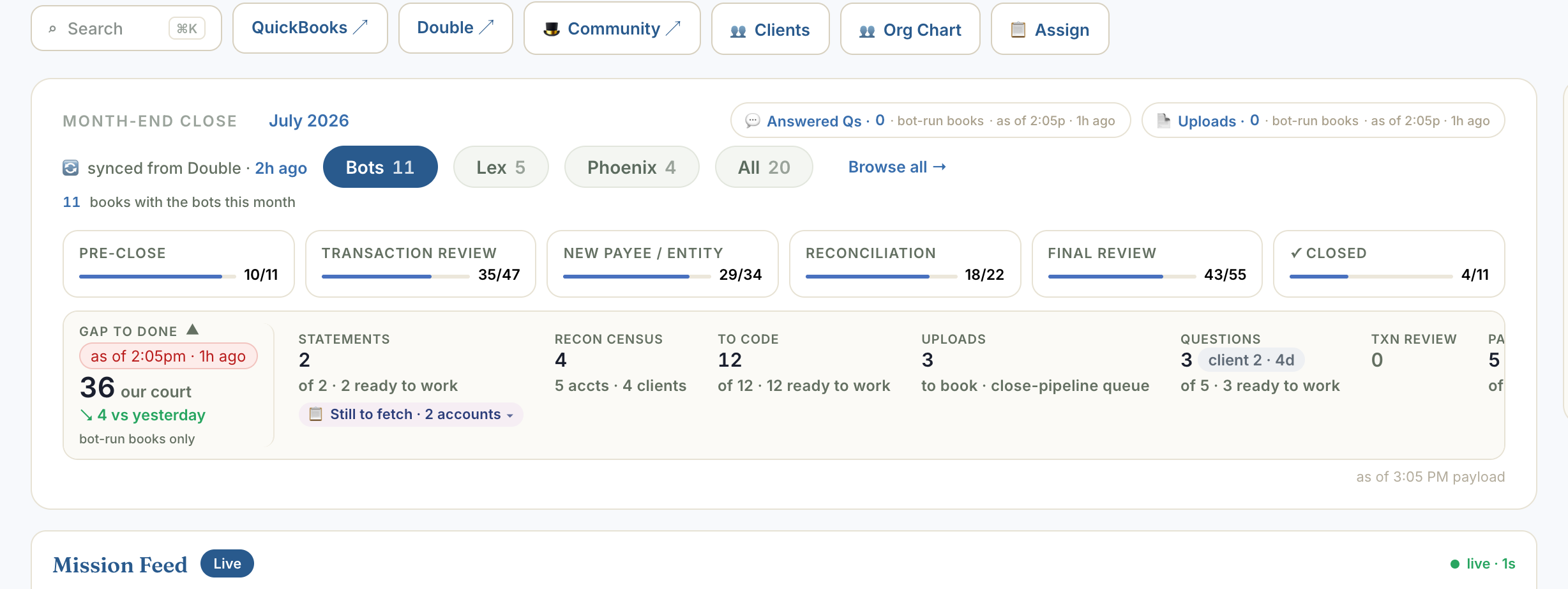
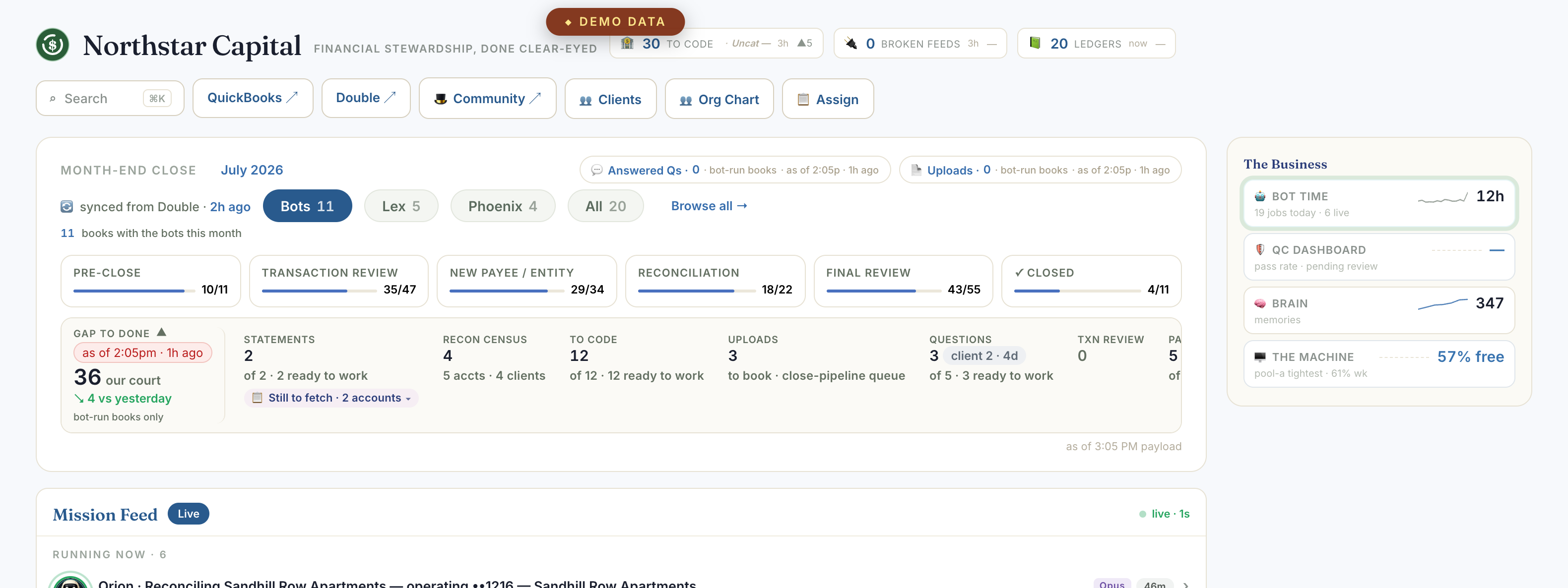
Every close, on one line.
The month-end spine with live counts under each stage, and a doable-now number that refuses to flatter itself — work genuinely waiting on a client is counted as waiting, not as yours. Demo instance, staged client counts.
03 · Your court
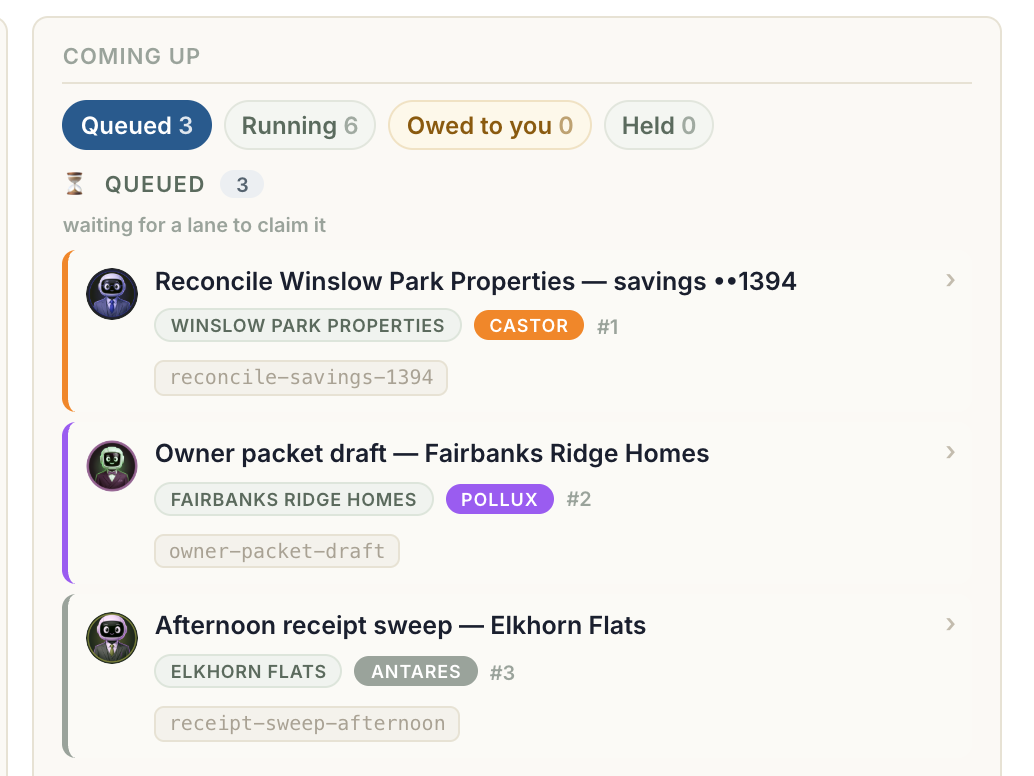
Your court, their court, done.
The coming-up deck: every job queued, running, owed to you, or held — each one named to the bot that takes it next. Nothing hides in a backlog. Demo instance, staged clients.
04 · The receipts
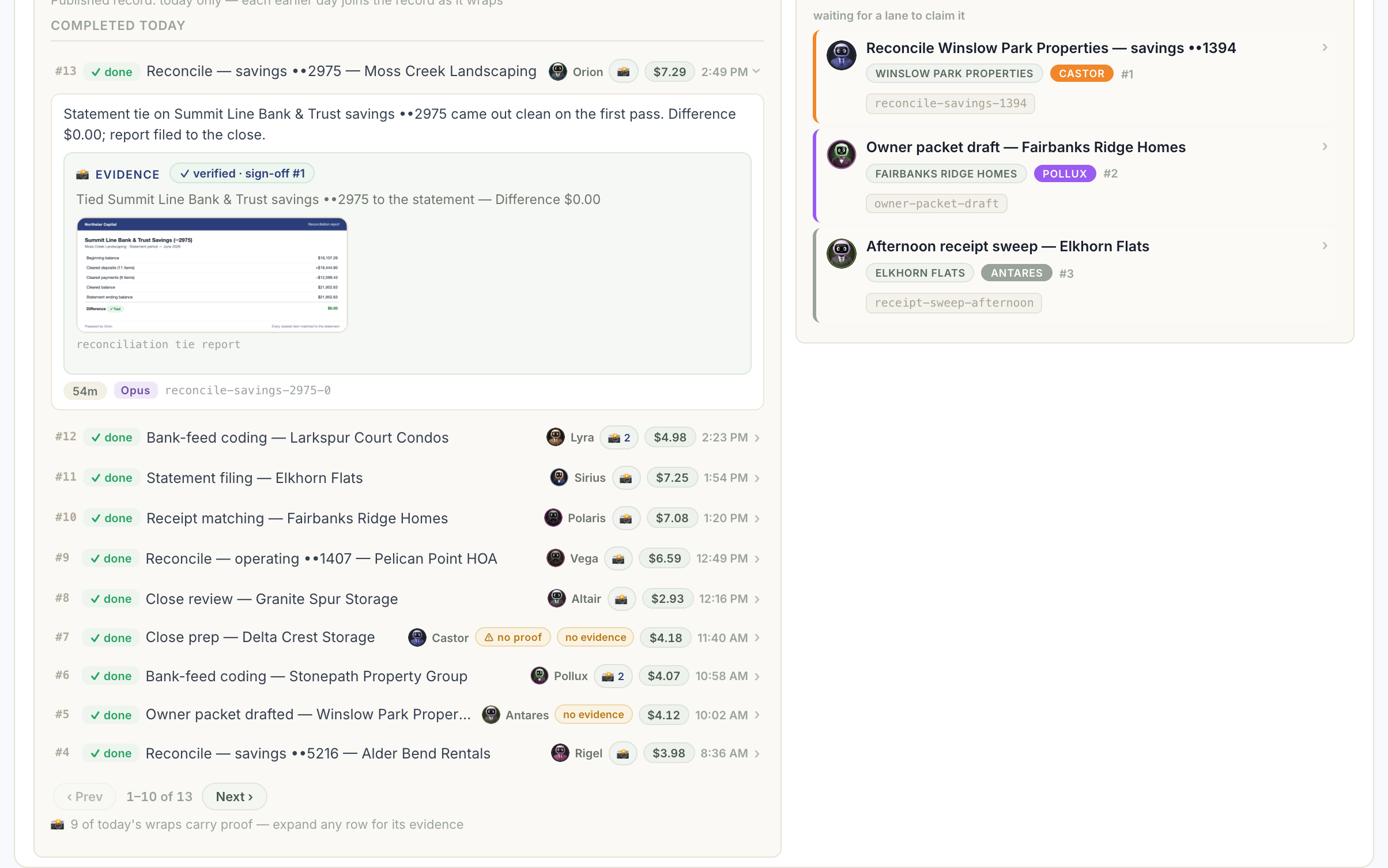
A bot's word isn't evidence. This is.
The job feed: every job with an ID you can search and quote, retries and resumes chained into one story, and — on finished work — the artifact that proves it happened. Demo instance, staged jobs.
05 · Your firm
Your name on the glass.
Your logo, your colors, your firm on the masthead — configuration, not a code change.
What’s included
$499 gets you running. $199/mo keeps you current.
$499 covers the Firmglass software, the step-by-step install guide, and getting your data service connected — you put the glass on your own hosting account, and it signs in as your firm.
$199/mo after that keeps it running: every release lands on your screen automatically, and the subscription is what powers your data service.
Miss a payment and the glass goes read-only — you can still see it and export everything your firm has ever put into it, but nothing new posts until you’re current again. Nothing is ever deleted.
Hands-on installation help and configuration, beyond the guide, are separate creditable Guided Setup consults — the $499 is onboarding, not a white-glove install.
How onboarding works
Two commands, and you’re running.
You sign in, open your glass, and connect your data service — nothing here is a one-way door, and none of it requires a call.
01 · Signed order
You sign. We start.
You sign; your license and install guide go out same-day.
✍︎ Craig owns this step personally02 · You install the glass
Your own hosting account, your own domain — about 20 minutes, no call.
You follow the install guide and put the glass on infrastructure you control. It signs in with a passcode tied to your firm.
03 · Connect your data service
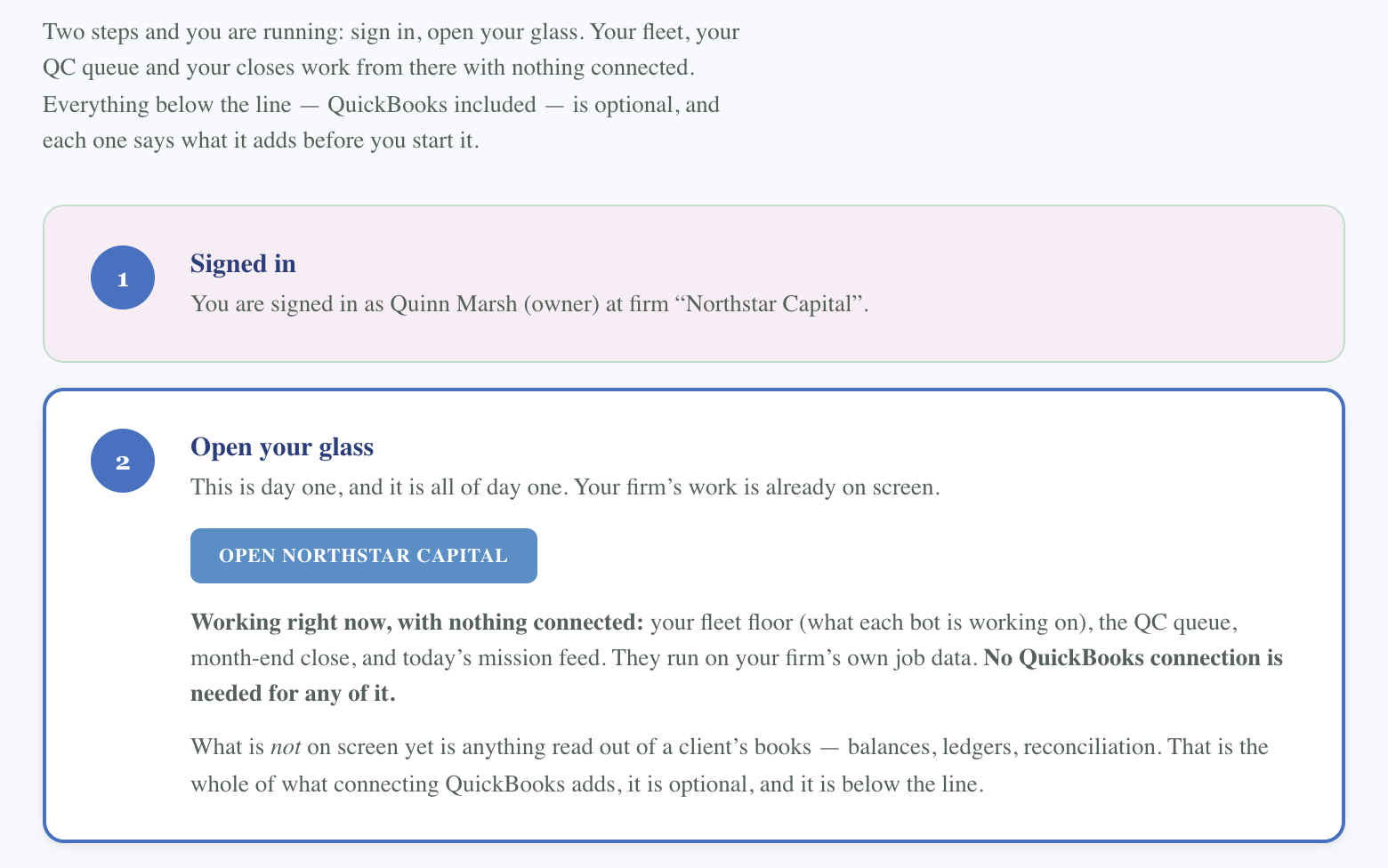
One command points your glass at real numbers.
Everything above the line — your fleet floor, QC queue, month-end close — works with nothing connected. QuickBooks is optional and below the line; connecting it is what turns on client-books data.
04 · QuickBooks, when you're ready
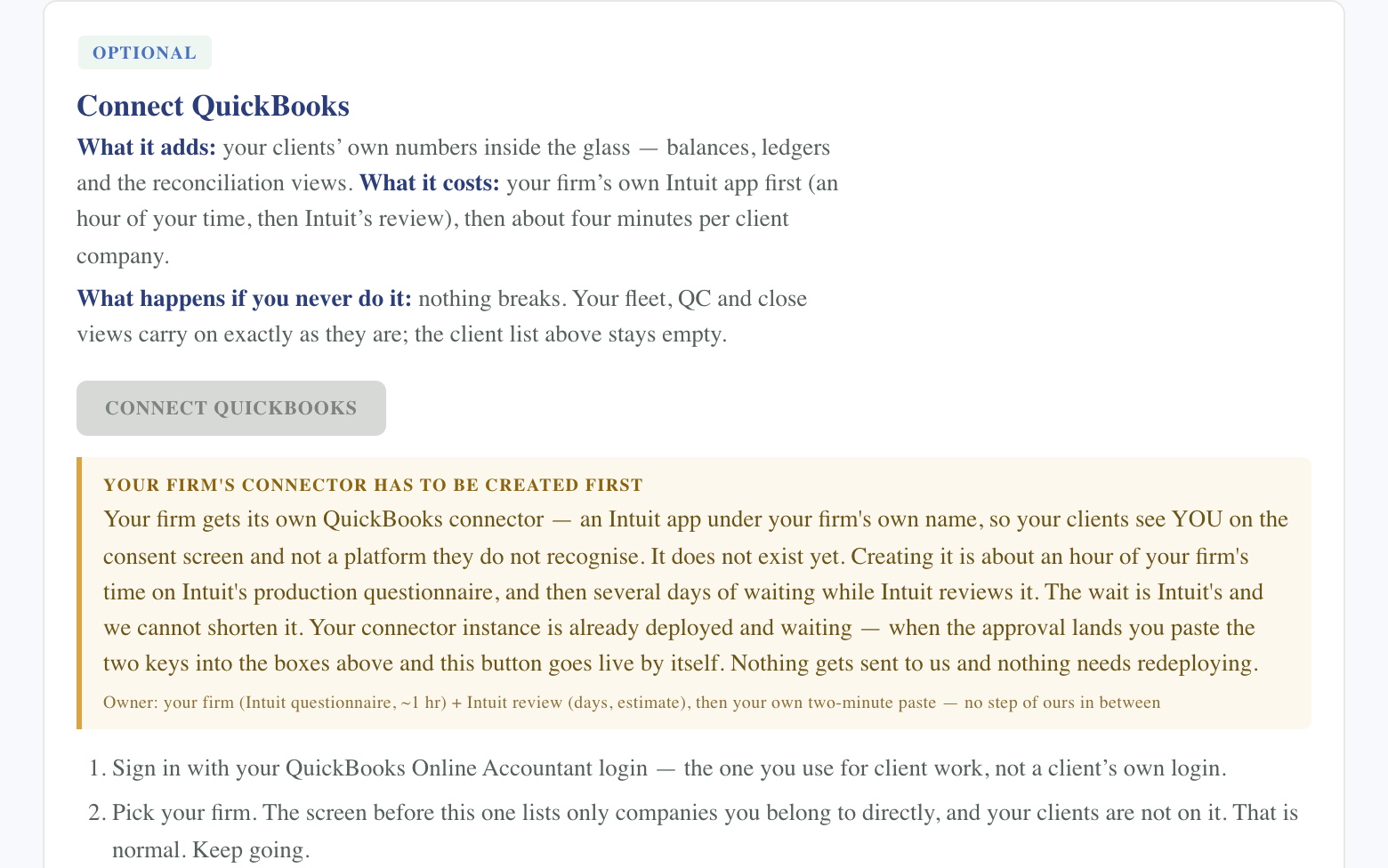
Your firm’s own connector, your call on timing.
You sign in with your Accountant login, search for a client, and approve — the same flow that ships in the install guide today.
05 · A week in, we check in
A short follow-up, to catch whatever needs adjusting.
Once you’ve actually lived in it for a week, a short check-in catches anything worth tuning — async, no call.
Buyer #1 is live.
His words will go here when he’s ready to share them — we don’t publish a buyer’s name without asking.
$499 to start. $199 a month after.
Get it running. Keep it current.
For firm owners who’d rather watch their fleet than wonder.
- The Firmglass software and step-by-step install guide, self-hosted on your own account
- QuickBooks Online connected for reading your clients’ numbers — on your own timing, with your firm’s own connector
- Every release pushed to your data service on our schedule — you never chase an update
- Plain-language release notes in your Study, so you always know what changed
- Community support in the Skool
Miss a payment and the glass goes read-only — nothing is ever deleted, and you can always export everything.
Guided Setup graduates get a $250 credit toward the $499 onboarding — net $249.
Buying White Glove? Firmglass onboarding is waived — it’s included with your package.
If Firmglass doesn’t show you exactly where every close stands within 30 days, I’ll refund your $499 and cancel the subscription.
Start Firmglass — $499 →Questions buyers actually ask
My door is live but my clients’ panes are empty — what turns them on?
There’s no master switch. A door isn’t “turned on” for a client — every pane on the glass is fed by its own push, and a pane only paints once that specific rail has actually been pushed for that specific client. If your firm has a dozen clients and several different rails feeding the glass, you’re not one registration away from a full board — you’re one push per rail, per client.
Four things gate a pane, in the order they actually fire:
- Your access key needs permission for that specific rail.
- The client needs to be registered and active in your firm’s client list.
- That rail needs to have actually been pushed for that client, for that period — this is where almost every real gap lives.
- The data needs to arrive in the shape that pane expects — anything else gets accepted and stored, but doesn’t render.
It’s common for one client to show real numbers before the rest, even though nothing was configured differently for it by hand. A pilot run, an early test, or a one-off push outside your regular routine can populate a client fully while it’s still missing from your own internal client roster — same pipeline, same rules, it just already got pushed once.
And when a pane genuinely has nothing to show, it says so: an empty field renders a dash, never a zero. A tile with no data will never claim there’s nothing wrong — it tells you plainly that nothing has arrived yet. That’s on purpose. The glass would rather show you an honest gap than a clean number it made up.
Come watch it run before you buy it.
The community sees this glass every week — real mornings, real jobs, the same screen this page is made of. Come look at it working, ask what it doesn’t do yet, and decide from there.